How to Set Up a Charging Station for Devices at Home
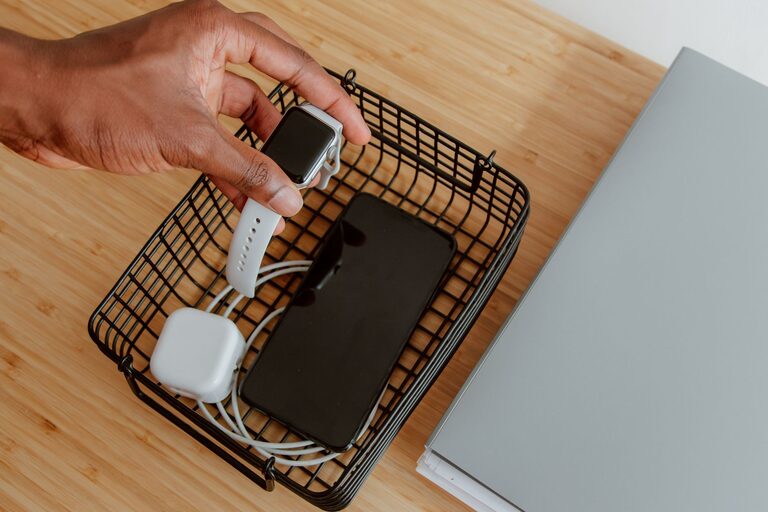
Setting up a charging station for your devices can simplify your daily routine and keep your space tidy. With multiple gadgets like smartphones, tablets, smartwatches, and earbuds needing regular charging, having a dedicated spot saves time and reduces clutter. This guide will walk you through how to create an efficient, safe, and organized charging station tailored to your needs.
Why Set Up a Charging Station?
Devices are part of everyday life, but charging them often involves a mess of cables and searching for outlets. A dedicated charging station helps you:
– Charge multiple devices at once
– Keep cables and chargers tidy
– Protect devices from damage
– Save time searching for chargers
– Create a neat and organized area
Choosing the Right Location
Start by selecting a convenient and accessible spot for your charging station. Consider the following:
– Near a Power Source: Choose a location close to an electrical outlet to avoid running long extension cords.
– Flat Surface: A desk, side table, or a shelf works well.
– Safe from Water and Heat: Keep it away from sinks, radiators, and direct sunlight.
– Centralized Access: A common area like the living room or bedroom may be best if multiple family members will use it.
Essential Materials and Equipment
To build your charging station, gather the following:
– Power Strip with Surge Protection: Protects your devices from power surges.
– USB Charging Hub: Offers multiple USB ports for charging several devices simultaneously.
– Cable Organizers: Clips, sleeves, or boxes to keep cords neat and untangled.
– Device Stands or Holders: Keeps devices upright and secure while charging.
– Labeling Supplies (Optional): Helps identify cables and ports.
– Storage Container or Tray: Collects smaller items like earbuds or adapters.
Step-by-Step Setup Guide
1. Clear and Prepare the Space
Remove any items from the chosen surface. Wipe it clean to create a tidy base for your charging station.
2. Plug in Your Power Strip and USB Hub
Place the power strip close to the outlet. Connect the USB charging hub to the power strip. Make sure the cord lengths are manageable and don’t create trip hazards.
3. Arrange Device Holders
Position device stands or holders on the surface. This keeps your devices upright, visible, and less likely to get scratched.
4. Connect Charging Cables
Plug the charging cables into the USB hub or power strip outlets. Use cables that are the right length to reduce excess slack.
5. Organize Cables
Use cable clips, ties, or sleeves to bundle and route cables neatly along the surface or edge of the furniture. You can also hide cables inside a cable management box.
6. Label Cables (Optional)
If multiple people use the station or you have many cables, label each one to identify which device it belongs to. This avoids confusion and saves time.
7. Add Storage Space
Place a small container or drawer nearby for extra accessories such as earbuds, adapters, or portable chargers.
Tips for Maintaining Your Charging Station
– Regularly Check Cables: Look for wear and replace damaged cords.
– Keep Dust Free: Wipe down the station weekly to prevent dust buildup.
– Avoid Overloading Outlets: Don’t exceed the power strip’s capacity.
– Charge Smart: Disconnect devices once fully charged to save energy and prolong battery life.
– Update Equipment: Consider upgrading to faster USB-C chargers or wireless charging pads as needed.
Optional Upgrades
Wireless Charging Pads
For a sleek look, add wireless charging pads compatible with your devices. Place them on the station for cable-free charging.
Wall-Mounted Charging Station
If desk space is limited, consider a wall-mounted station with built-in outlets and shelving.
Smart Power Strips
Some smart strips allow you to control outlets via smartphone apps, helping save power and adding convenience.
Conclusion
Creating a charging station is an easy and rewarding project that improves your daily charging routine and organization. By selecting the right location, equipment, and setup, you can keep all your devices fully powered and your space clutter-free. Give it a try and enjoy the benefits of a neat, centralized charging hub!
—
With these steps and tips, your devices will always be ready to go when you need them. Happy charging!